
AI Uses Energy Too:
Digital Choices and Useful Output
Two Grade 4 lessons that help students compare digital choices, identify useful AI output, and avoid digital waste.
Big idea for Grade 4
AI and digital tools have hidden costs and visible benefits. Responsible users compare purpose, impact, alternatives, and learning value.
Classroom message
Right tool. Right reason. Right amount.
Helping students compare digital choices with judgment
This Grade 4 mini-unit helps students understand that different uses of technology and AI have different value. Some uses help us learn, solve problems, or care for the world. Others may use energy, time, and attention without helping very much.
Students begin comparing digital choices by considering purpose, usefulness, alternatives, amount, attention, and learning value.
Lesson 1: Comparing Digital Choices
Students compare different technology and AI uses by thinking about purpose, usefulness, energy, and alternatives.
Learning goal
Students compare technology and AI uses by considering purpose, value, alternatives, and impact.
Key message
Not all digital choices are the same. Some uses create more value than others.
Duration
40–45 minutes.
Materials
Board or chart paper, markers, scenario cards, student worksheet or paper, pencils, and sticky notes.
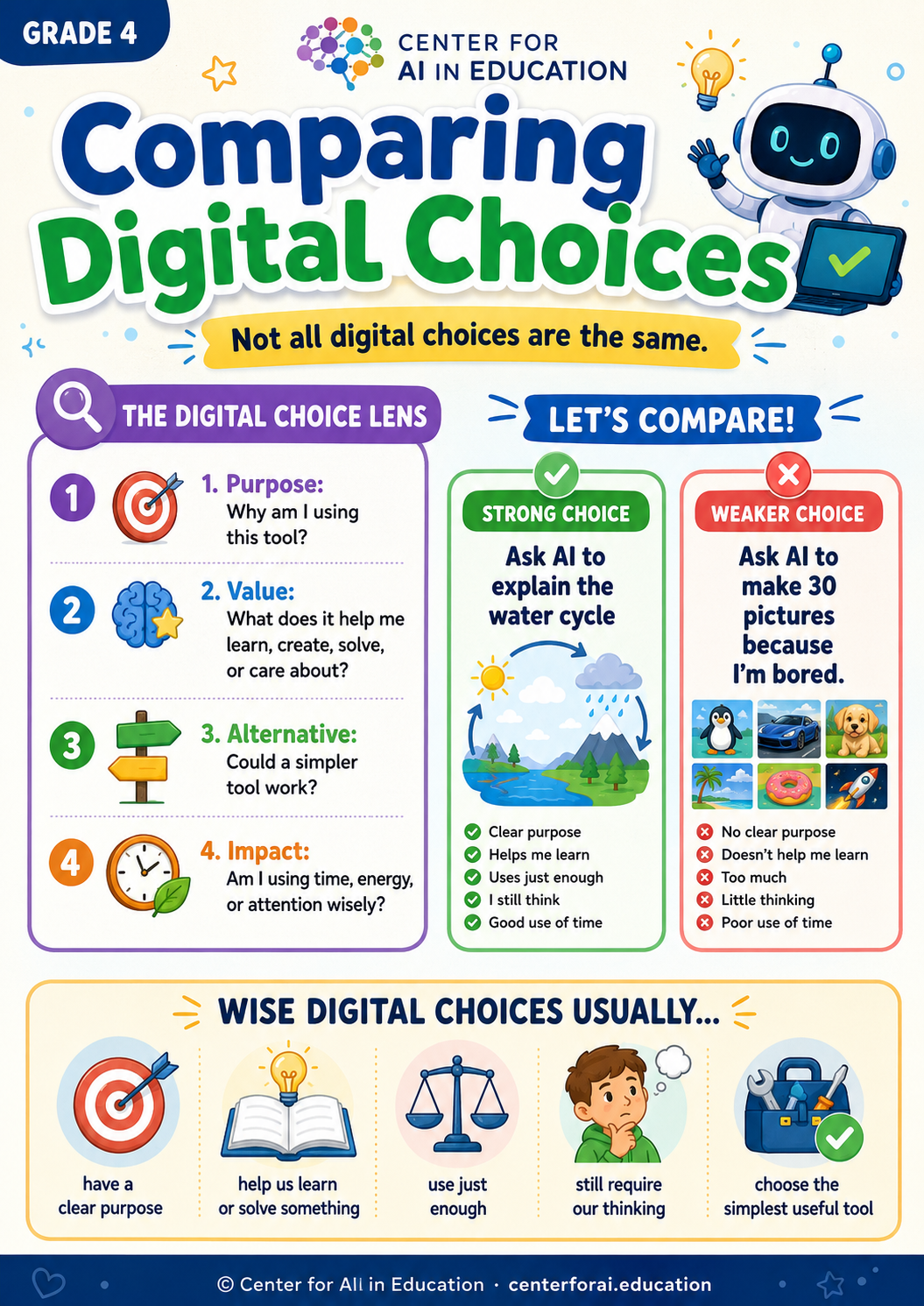
The Digital Choice Lens
Responsible users compare choices.
Students do not need to know the exact energy use of every digital action to make better choices. They can still compare whether a use is meaningful, necessary, and thoughtful.
Lesson flow
- 1Opening question: Ask whether all uses of technology are equally useful.
- 2Introduce the lens: Teach the four comparison questions: purpose, value, alternative, and impact.
- 3Scenario comparison: Students compare two digital choices and decide which is wiser.
- 4Class discussion: Share comparisons and identify features of wise digital choices.
- 5Individual reflection: Students describe one wise digital choice and one wasteful choice.
Example comparison
| Choice A | Choice B |
|---|---|
| I ask AI to explain the difference between weather and climate. | I ask AI to make 20 versions of the same picture because I cannot decide. |
| Clear purpose, learning value, and useful support. | Less clear purpose, more output than needed, and weaker learning value. |
Student sentence stems
One wise digital choice is __________ because __________.
One wasteful digital choice is __________ because __________.
Before I use AI, I should compare __________ and __________.
Simple assessment
- ✓Students can compare two digital or AI uses.
- ✓Students can identify which use has stronger purpose and value.
- ✓Students can explain when a simpler tool might be better.
Lesson 2: Digital Waste and Useful Output
Students understand that AI can create many outputs quickly, but more output is not always better.
Learning goal
Students distinguish between useful AI output and digital waste.
Key message
More is not always better. Useful output helps us think, learn, decide, or act.
Duration
40–45 minutes.
Materials
Board or chart paper, markers, scenario cards, paper, pencils, and optional sample AI outputs.
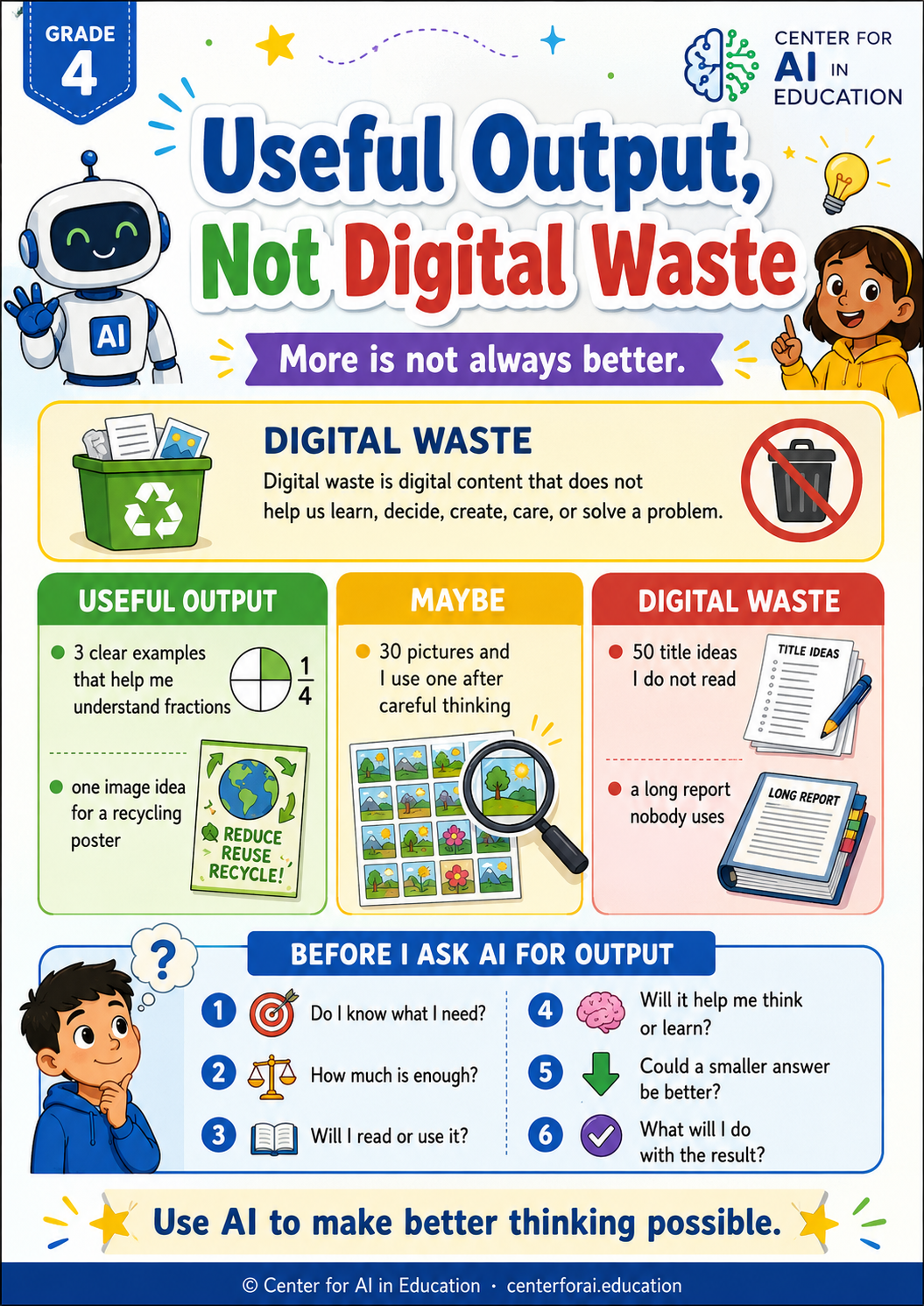
Digital waste
More output is not always better.
Digital waste happens when we create or use digital content that does not help us learn, decide, create, care, or solve a problem.
Lesson flow
- 1Opening question: Ask whether making more is always better.
- 2Define digital waste: Explain that waste can involve energy, time, attention, and learning.
- 3Classify scenarios: Students sort examples into useful output, maybe, or digital waste.
- 4Output improvement challenge: Students redesign wasteful AI use into useful AI use.
- 5Create checklist: The class builds a “Useful Output Checklist.”
Useful Output Checklist
- 1Do I know what I need?
- 2How much output is enough?
- 3Will I read, use, or improve the output?
- 4Will it help me think or learn?
- 5Could a smaller answer be better?
- 6What will I do with the result?
Student sentence stems
More is not always better because __________.
Useful AI output helps me __________.
I can avoid digital waste by __________.
Simple assessment
- ✓Students can explain what digital waste means.
- ✓Students can distinguish useful output from wasteful output.
- ✓Students can improve a wasteful AI use.
Useful Output, Not Digital Waste
Do not use AI to make more of what you do not need. Use AI to make better thinking possible.
For Grade 4, the key idea is responsible comparison.
Students are ready to understand that different digital choices have different value and that more output does not always mean better learning.
The goal is to help students build judgment around purpose, usefulness, alternatives, amount, attention, and learning value. This prepares them for later work on environmental footprint, carbon impact, AI infrastructure, efficiency, and responsible innovation.